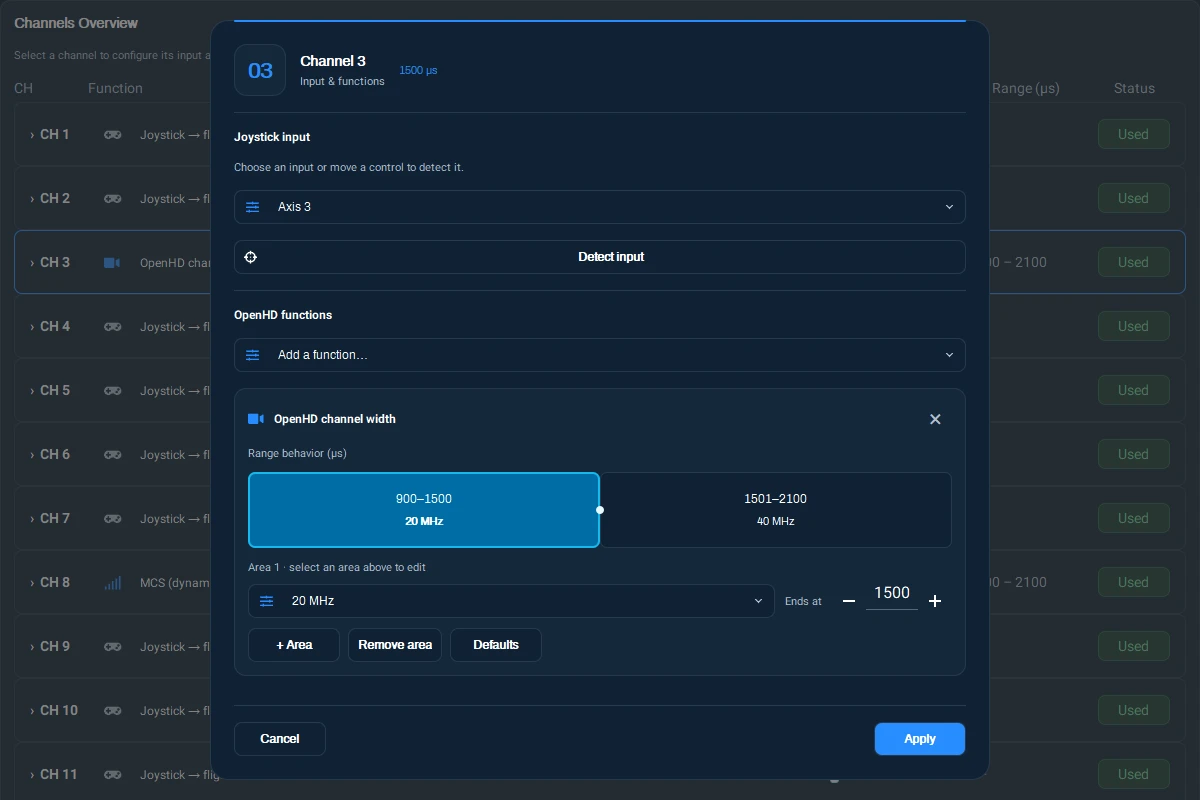
MCS and bandwidth via RC
On supported Wi-Fi broadcast builds, OpenHD Air can map a flight-controller RC channel to a link setting. MCS changes the radio data rate. Bandwidth changes the channel width and requires both units to stay synchronized.
- In QOpenHD, open the RC channel view and confirm that the channel reports live PWM from the flight controller.
- Assign an unused input to MCS or OpenHD channel width, as exposed by your Air build.
- Open PWM ranges for the assignment. Move the transmitter switch through its positions and match the ranges to the observed values. Assign only modes supported by the radio and link.
- With the model on the bench, move through every position and verify the actual MCS or width and that video recovers after a width change.
The current Air firmware exposes RC_MCS_RANGES and RC_BW_RANGES where supported. A width option can be absent if the radio or firmware does not support it. Keep your original link settings written down and use Find Air Unit if Ground needs to rescan.