QOpenHD
Check and configure a link
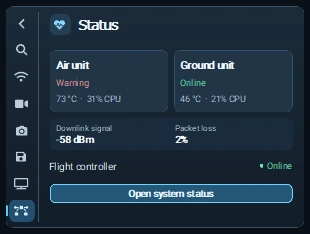
Open Status to inspect the Ground unit, Air unit, and flight controller. On the HUD, open the sidebar with the chevron. Link shows the controls for the active transport. Video, Camera, and Air recording expose controls supported by the Air build. To find an Air unit with Wi-Fi broadcast, use Find Air Unit and choose the scan band and width.
Use OSD & Application for HUD widgets, styling, and maps. Edit the link or camera through the device settings, then confirm the new value is reflected in status or video. See offline maps and Backup & Restore.
Sounds and speech
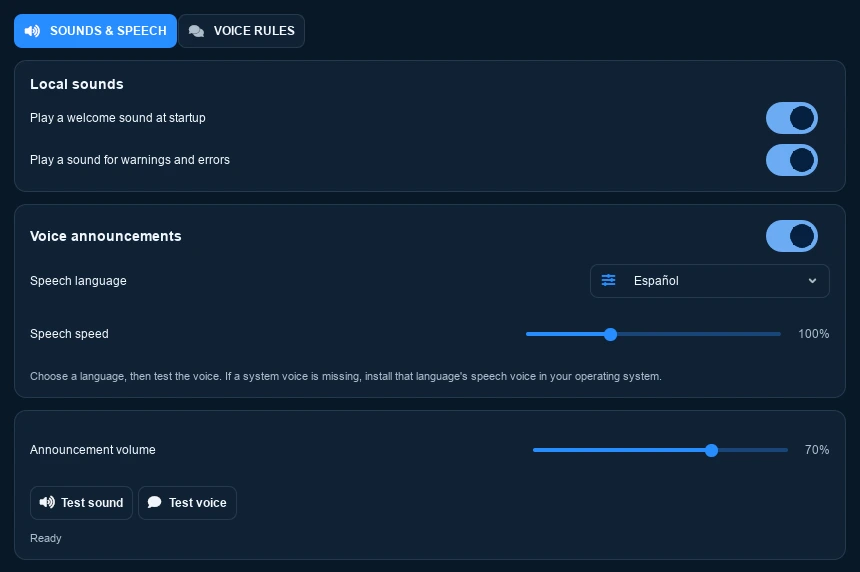
Use Sounds & Speech to configure startup sound, warnings, and voice announcements. Select a language and use Test voice to check the system voice. Voice Rules controls which events speak.