SmartSync
What is SmartSync and why do I need it?
To understand the need for SmartSync we need to refresh the basics.
When Open.HD first started development we wanted to easily change settings as many people working with this project and other branches are interested in experimenting with various frequencies, settings and configurations. Others were primarily interested in using it to just fly and enjoy the beautiful HD video. So, we wanted to make sure we kept things as simple as possible to maintain the plug & play ease-of-use that we want the project to have.
We accomplished a lot by using a dedicated settings and OSD application which makes it easy to change settings on the fly. This left us with two issues:
- This all-in-one fpv, telemetry and control system is primarily optimized to send video data from the air to ground with some up-link capability for RC and Telemetry as well. So, the QOpen.HD app is able to save settings to both air and ground pretty well however, it can take quite a long time to upload a large number of changes. Under some circumstances, settings can be lost in the process, then during reboot if your video or radio function was changed and not saved you no longer have your communication link in place to assign the correct settings. As such, this requires removing the SD cards and manually editing the configuration.
- In the case where an FPV Pilot who goes to the field with 3 different vehicles i.e. a mini quad optimized for 720x480p low latency video on 5.8ghz ; A medium range drone set to high data rate for HQ video ; And a long range FPV Plane set to low data rate... Without identical settings on both Ground and Air, the process of matching settings would include removing the SD card from at least one of the sides and manually changing the parameters when switching between drones.
What is SmartSync?
SmartSync is a program that guarantees synchronization between any vehicle and the ground station that you have Open.HD installed on by making the air and ground always briefly start with fixed settings on a specific wifi channel (settable in QOpen.HD) then automatically matches whatever settings happened to be applied on the ground.
Be aware that the settings of the GROUND station are applied to the AIR vehicle. Make sure you save your profiles on the Ground Station and load the appropriate one before connecting to the AIR vehicle.
Basic Configuration
If you change any setting in QOpen.HD and save them with the AIR vehicle connected, they will be persisted automatically. SmartSync comes into play at boot, by default you don't have to worry about it.
If you ever have trouble, remember that GROUND has to be started before AIR and by default SmartSync is disabled!
Advanced scenario's
If you want or need more control over SmartSync there are several options to prevent the default behavior. You can use GPIO 26 with a switch to disable SmartSync, or you can use a connected Joystick's Elevator channel during startup.
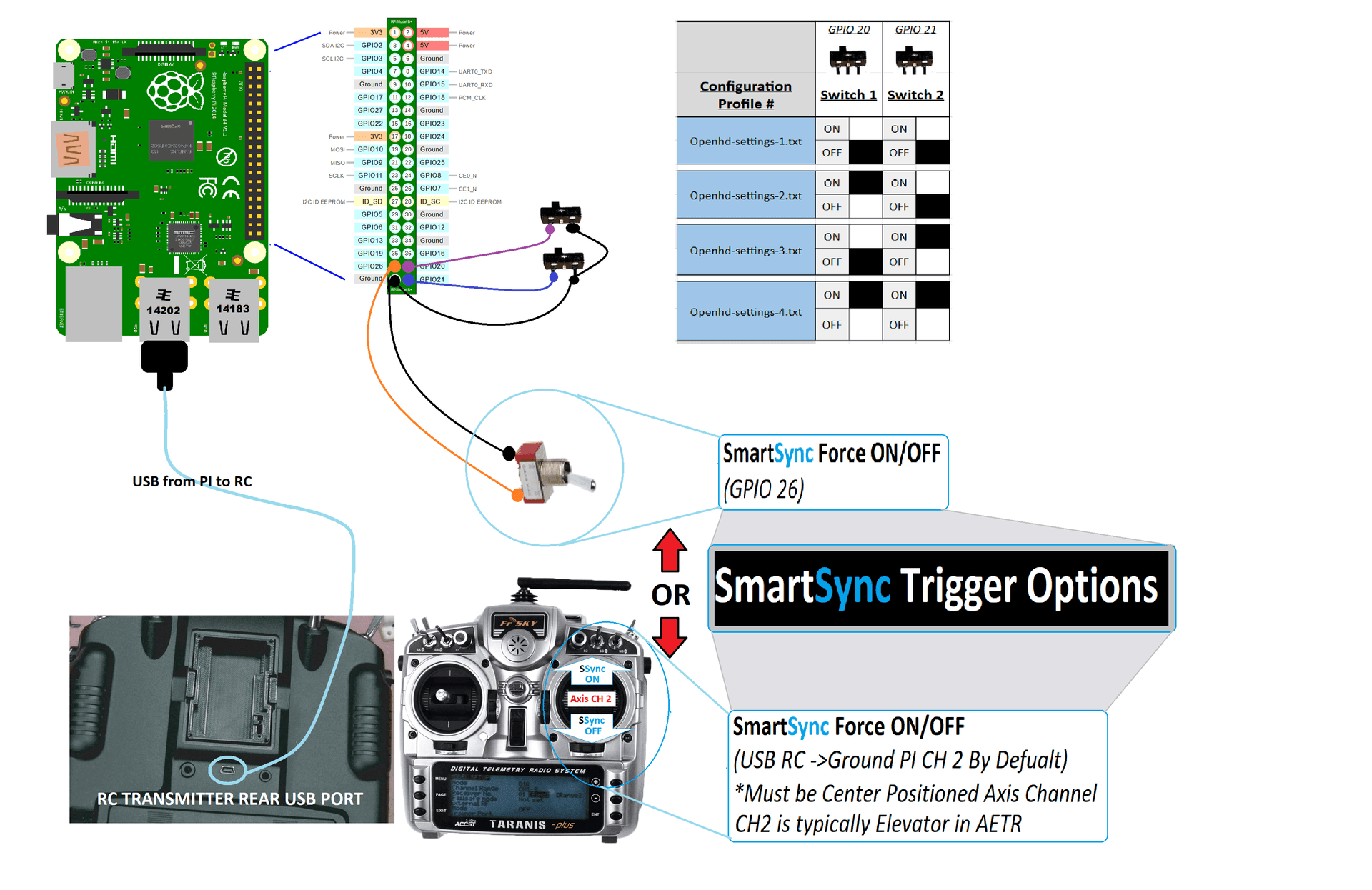
Aside from the methods mentioned to prevent SmartSync, we also have complete control over the system in the settings. Again, all settings are best modified through the QOpen.HD app.